
The digital lizard iptv service is designed for viewers who want to access supported live and on-demand streaming categories through an internet connection and a compatible IPTV player.
Before ordering, the main question is not simply whether the service works. A buyer must determine whether the selected plan matches the household’s devices, simultaneous viewing requirements, internet quality, preferred application, and subscription duration.
Digital Lizard IPTV currently displays plans covering one to five simultaneous connections, with one-, three-, six-, and twelve-month durations. The site also states that HD and 4K may be available where supported rather than presenting every source as permanently available in a specific resolution.
Qualified users can compare Digital Lizard IPTV plans before proceeding to checkout.
Table of Contents
Table of Contents
What Does the Digital Lizard IPTV Service Provide?
IPTV delivers television and video through internet protocol networks instead of a traditional cable or satellite connection. The subscription supplies access information, while a compatible player organizes and displays the available content.
The player and the subscription are separate components. A customer may receive a username, password, server address, M3U playlist, portal URL, or another supported access format depending on the application and device.
Digital Lizard IPTV presents its service around flexible durations, multiple connection options, setup guidance, and access through common streaming device categories. The site does not require every household to purchase the same duration or number of concurrent streams.
Content availability must still be evaluated carefully. Live categories, electronic program guide information, on-demand items, events, and available resolutions may differ by source, device, application, location, internet route, and plan.
What to Check Before Selecting a Plan
Number of simultaneous connections
A connection normally represents one active stream rather than one application installation.
A customer may install a compatible player on a television, phone, and tablet, but a one-connection plan is intended for one active stream at a time. Two people watching simultaneously normally require at least two permitted connections.
Count the maximum number of screens that will be active during normal household use. Do not purchase five connections simply because five devices are owned.
Device compatibility
Write down the exact model and operating system of each intended device.
“Smart TV” is not a complete technical description. Samsung televisions may use Tizen, LG televisions commonly use webOS, and other televisions may run Android TV, Google TV, Fire TV, Roku, or a proprietary platform.
IPTV application
Confirm that a suitable application is available before paying for a long plan.
Some players support Xtream Codes-style credentials, while others require an M3U playlist or portal URL. Certain applications are free, while others charge their own activation or subscription fee.
Internet stability
A fast advertised internet package does not automatically provide stable streaming in every room.
Router location, Wi-Fi interference, household downloads, network congestion, device hardware, and the distance between the television and router can affect playback.
Subscription commitment
A longer plan usually lowers the effective monthly cost, but it also increases the initial financial commitment.
New customers should compare the saving against the risk of selecting an unsupported application, insufficient connection count, or unsuitable setup.
Support process
Check how technical problems should be reported.
A useful support request should identify the order email, device model, application, error message, login method, network type, and troubleshooting already completed.
Terms and refund conditions
Read the current terms before payment.
The website currently displays a three-day guarantee period, but eligibility, exclusions, and processing remain subject to the applicable policy. It should not be interpreted as an unconditional refund for every purchase.
Digital Lizard IPTV Service Comparison Table
| Buying criterion | What to verify | Why it matters |
|---|---|---|
| Connections | Maximum simultaneous viewers | Prevents connection-limit errors |
| Duration | One, three, six, or twelve months | Determines commitment and renewal frequency |
| Device | Exact model and operating system | Controls which player can be installed |
| Login method | Xtream Codes, M3U, portal, or app code | Must match the selected application |
| Internet | Stability on the actual streaming device | Wi-Fi performance can differ between rooms |
| Resolution | Availability of HD or 4K for the selected source | Not every item is available in every resolution |
| EPG | Player and source compatibility | Program information may not exist for every category |
| Support | Correct contact channel and required information | Detailed reports are easier to diagnose |
| Policy | Refund period and eligibility conditions | Reduces disputes after checkout |
| Security | Private handling of account credentials | Prevents unauthorized account use |
The appropriate service is the one that matches these practical requirements. A large marketing claim cannot compensate for an incompatible television or insufficient connection count.
Before selecting a longer duration, check the device setup instructions. The site currently provides guidance for Apple and iOS devices, Smart TVs, Android systems, and other device categories.
Device and Application Compatibility
Fire TV devices
Fire TV hardware is widely used with IPTV players, but performance differs by model and generation.
Older devices may have limited storage or memory. Remove unused applications, install operating-system updates, restart the device, and use a player that supports the supplied login method.
Samsung and LG televisions
Samsung and LG televisions use platform-specific application stores.
Application availability can differ by country, model year, and operating-system version. Confirm the exact television model before purchasing an annual plan.
Android TV and Android boxes
Android-based devices generally provide several player choices.
Hardware quality varies considerably. An inexpensive box with outdated firmware, limited memory, or weak video decoding may produce application crashes even when the subscription is active.
Apple devices
Apple TV, iPhone, and iPad require applications available through the relevant App Store.
Check whether the application supports the credentials supplied by the service. An application’s own payment is separate from the IPTV plan unless explicitly stated otherwise.
Windows and Mac computers
Desktop players can be useful for initial testing and troubleshooting.
A computer connected through Ethernet can help determine whether a playback problem comes from the subscription, Wi-Fi connection, television, or application.
Trademarks and product names belong to their respective owners. Compatibility references do not imply affiliation with Digital Lizard IPTV.
Internet and Home Network Requirements
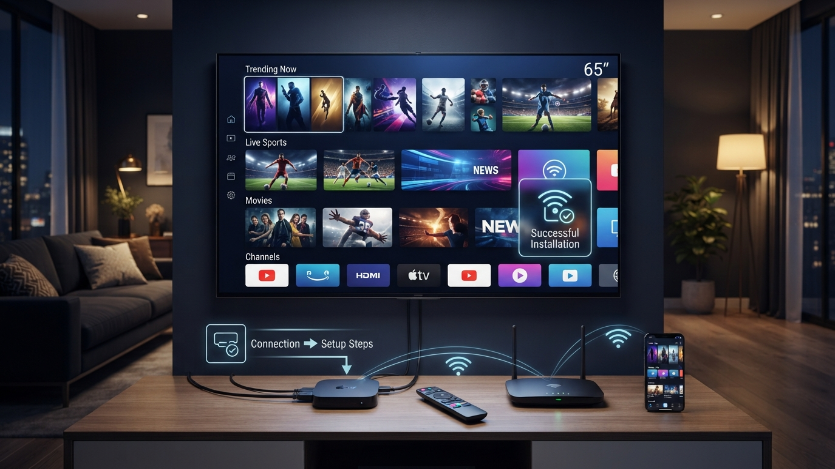
Streaming quality depends on consistency, not only maximum download speed.
Test the connection using the intended device and in the room where it will normally operate. A phone beside the router may receive a stronger signal than a television behind several walls.
Ethernet usually provides a more predictable connection where supported. With Wi-Fi, place the router in an open position and avoid heavy downloads while diagnosing playback.
Multiple simultaneous streams require more total network capacity. A household using three connections must account for all three streams plus phones, computers, games, cloud backups, and video calls.
No IPTV provider should promise zero buffering under every condition. Playback can be affected by the source, application, device, home network, internet provider, routing, and temporary congestion.
Digital Lizard IPTV Service Pricing
The current one-device pricing page displays the following totals:
| Duration | Displayed total | Displayed monthly equivalent |
|---|---|---|
| One month | $16 | $16.00 |
| Three months | $36 | $12.00 |
| Six months | $55 | $9.17 |
| Twelve months | $75 | $6.25 |
These figures represent the current one-device selection. Choosing more simultaneous connections can change the final order total, and pricing may be updated.
The one-month plan creates the lowest initial commitment. It may suit a new customer who has not used the selected application or device with the service before.
The twelve-month option currently has the lowest displayed monthly equivalent. It is more appropriate after compatibility, connection requirements, and content expectations have been assessed.
Do not choose an annual plan only because the monthly equivalent is lower. Long-term value depends on whether the service remains suitable for the household throughout the subscription period.
Common Buying Objections
“Will every source stream in 4K?”
No universal 4K assumption should be made.
The pricing page describes HD and 4K as available where supported. Picture quality may vary by category, source, application, device, location, and internet connection.
“Can one connection be shared by the entire household?”
One connection normally permits one active stream.
Households that expect two or more people to watch at the same time should select the corresponding connection count.
“Does a longer plan improve playback quality?”
Subscription duration affects billing and renewal frequency. It does not strengthen Wi-Fi, update an old device, or improve an incompatible application.
A one-month and twelve-month account should still be evaluated through the same technical requirements.
“Does the subscription include an IPTV player?”
Do not assume that the player is included.
Third-party applications may have their own fees, advertisements, privacy conditions, and technical support.
“Is IPTV legal in the United States?”
IPTV is a delivery technology. Its legality depends on the rights and authorization associated with the specific content and service.
A website design, price, player, or brand name is not proof of licensing. Customers should review the terms and use services and content in accordance with applicable laws.
“Will the service work immediately after payment?”
Order processing can depend on payment confirmation and support availability. The website advises customers to review their plan and device information before checkout rather than guaranteeing an identical activation time for every order.
How to Order and Set Up the Service
Determine simultaneous usage
Count how many people may watch at the same time.
Select the connection count based on concurrent streams, not the total number of devices in the home.
Confirm the device
Identify the television or streaming device model and operating system.
Open the Digital Lizard IPTV setup guide and verify that an appropriate installation path is available.
Compare subscription durations
Review the totals on the pricing plans page.
Balance monthly value against commitment level. New users should avoid choosing solely from the largest displayed discount.
Review the order
The current checkout asks customers to choose their device, connection count, duration, subscription type, and payment method. Check every field before submission.
Proceed through the Digital Lizard IPTV checkout only after verifying the complete total.
Install a compatible player
Use a trusted application obtained through an official application store or the documented setup route.
Select the login mode matching the credentials supplied after the order.
Enter the account information
Copy the username, password, and server details exactly.
Avoid extra spaces, altered capitalization, missing characters, or an incorrect server protocol.
Test the setup
Allow the playlist and guide information to synchronize.
Test multiple categories, different times of day, audio, channel switching, and every purchased simultaneous connection.
Request support correctly
Use the Digital Lizard IPTV contact page when a problem remains unresolved.
Include the order email, device model, player name, error message, and completed troubleshooting. Never publish login credentials in public comments.
Conclusion
The digital lizard iptv service should be selected according to device compatibility, simultaneous connections, application support, internet stability, pricing, content expectations, and current terms.
The current offer provides several durations and connection options, but the longest plan is not automatically the correct choice for every household.
Compare Digital Lizard IPTV plans, confirm the device through the setup guide, and review the complete order before submitting payment.
Digital Lizard IPTV Service FAQ
What is the Digital Lizard IPTV service?
It is an internet-delivered streaming subscription intended for use with compatible IPTV players and devices. Customers select a duration and the number of simultaneous connections required.
What devices can be used?
The site provides guidance for Smart TVs, Android devices, Apple and iOS platforms, Fire TV-style devices, and computers. Exact support depends on the model, operating system, application, and login method.
How many simultaneous connections are available?
The current pricing interface displays choices from one to five connections. A connection represents an active stream rather than every device on which an application is installed.
What is the cheapest current plan?
The current one-device pricing starts at $16 for one month. Prices can change, and additional connections may alter the final total.
Is the twelve-month plan suitable for a new customer?
It offers the lowest displayed monthly equivalent, but it creates the largest upfront commitment. Confirm the device, application, internet connection, and policy before selecting it.
Can Digital Lizard IPTV guarantee zero buffering?
No. Performance depends on the source, application, hardware, internet route, Wi-Fi quality, network congestion, and simultaneous household activity.
Does the service guarantee every category in 4K?
No. HD and 4K availability may vary by source, device, application, location, plan, and internet connection.
Where can customers request assistance?
Customers can use the website’s contact page and provide the email associated with the order, device details, application, and error information.